QR Code Wedding Invitations: How to Add One for RSVPs (Step-by-Step Guide)
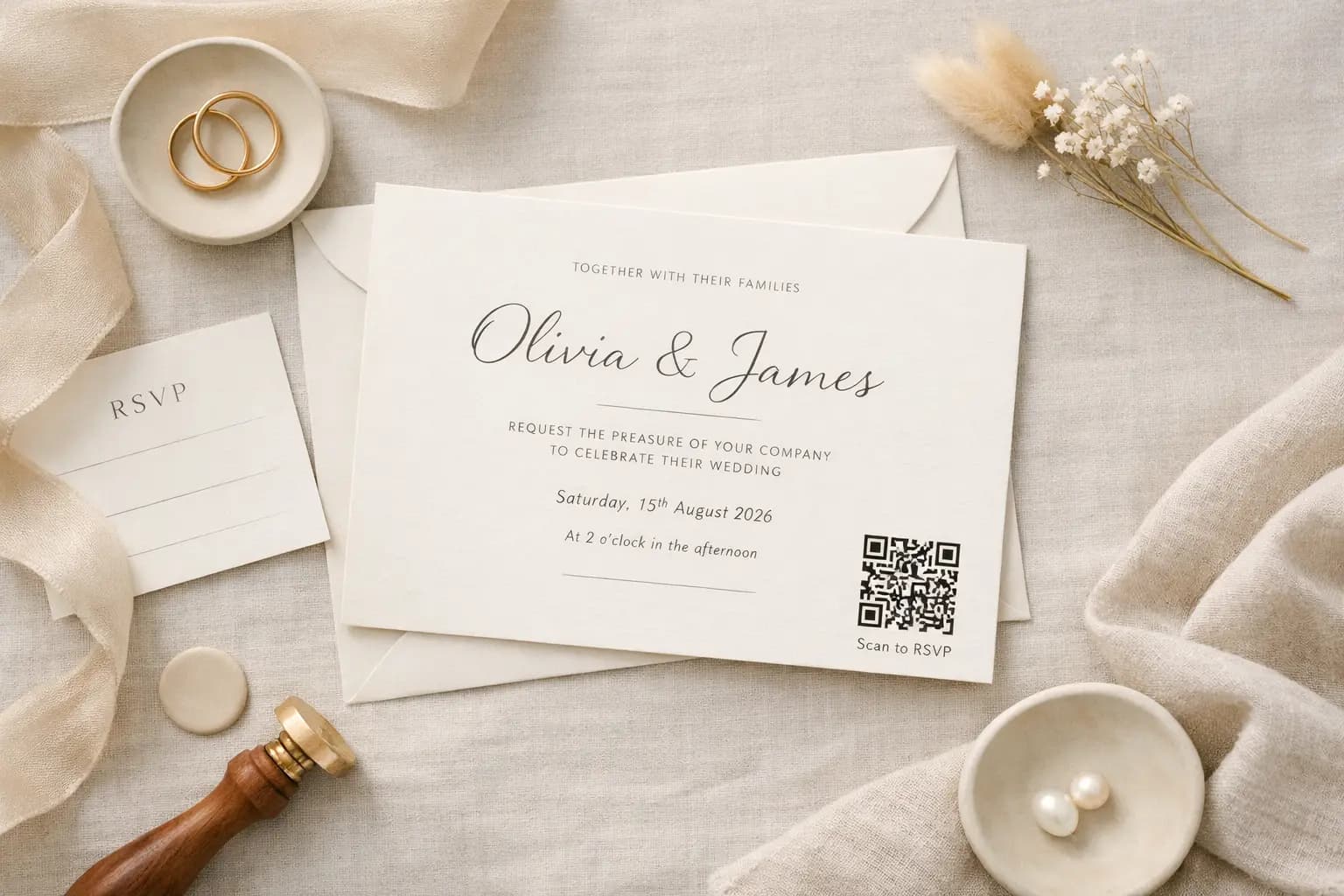
QR code wedding invitations are quickly becoming the modern way to collect RSVPs.
Instead of printing reply cards, adding return envelopes and manually tracking responses, couples are choosing a simple QR code that links directly to their RSVP page.
It’s faster.
It’s cleaner.
And it removes a lot of unnecessary admin.
If you’re planning your invitations and wondering how to add a QR code properly, here’s a clear step-by-step guide.
Why QR code wedding invitations are becoming so popular
Traditional RSVP cards mean:
- Extra printing costs
- Return postage
- Manually typing names into spreadsheets
- Chasing missing replies
With a QR code for wedding RSVPs, guests can:
- Scan instantly from their phone
- Confirm attendance in seconds
- Choose meal options digitally
- Add dietary requirements or notes
As more couples move towards digital RSVPs, QR codes on wedding invitations are becoming the new normal - especially for modern, minimal stationery designs.
If you’re still deciding how to collect responses, you might also find our guide on how to collect wedding RSVPs online helpful.
Step 1: Create your wedding RSVP page
Before generating your QR code, you need a live RSVP page to link to.
This could be:
- A wedding website with built-in RSVP
- A Google Form
- A dedicated RSVP page using a simple tool like MySimpleRSVP
Once your RSVP page is set up and tested, copy the full URL.
That’s the link your QR code will direct guests to.
Step 2: Generate your wedding RSVP QR code
There are two common ways to create a QR code for wedding invitations:
Option A: Use a built-in QR code download
Some RSVP tools (including MySimpleRSVP) automatically generate a downloadable QR code linked to your page.
This is usually the simplest option and reduces the risk of errors.
Option B: Use a QR code generator
If you already have your RSVP link, paste it into a trusted QR code generator and download the image.
Make sure you:
- Paste the correct full URL
- Download a high-resolution version
- Save as PNG or SVG for best print quality
Always double-check the link before finalising your design.
Where to place a QR code on wedding invitations
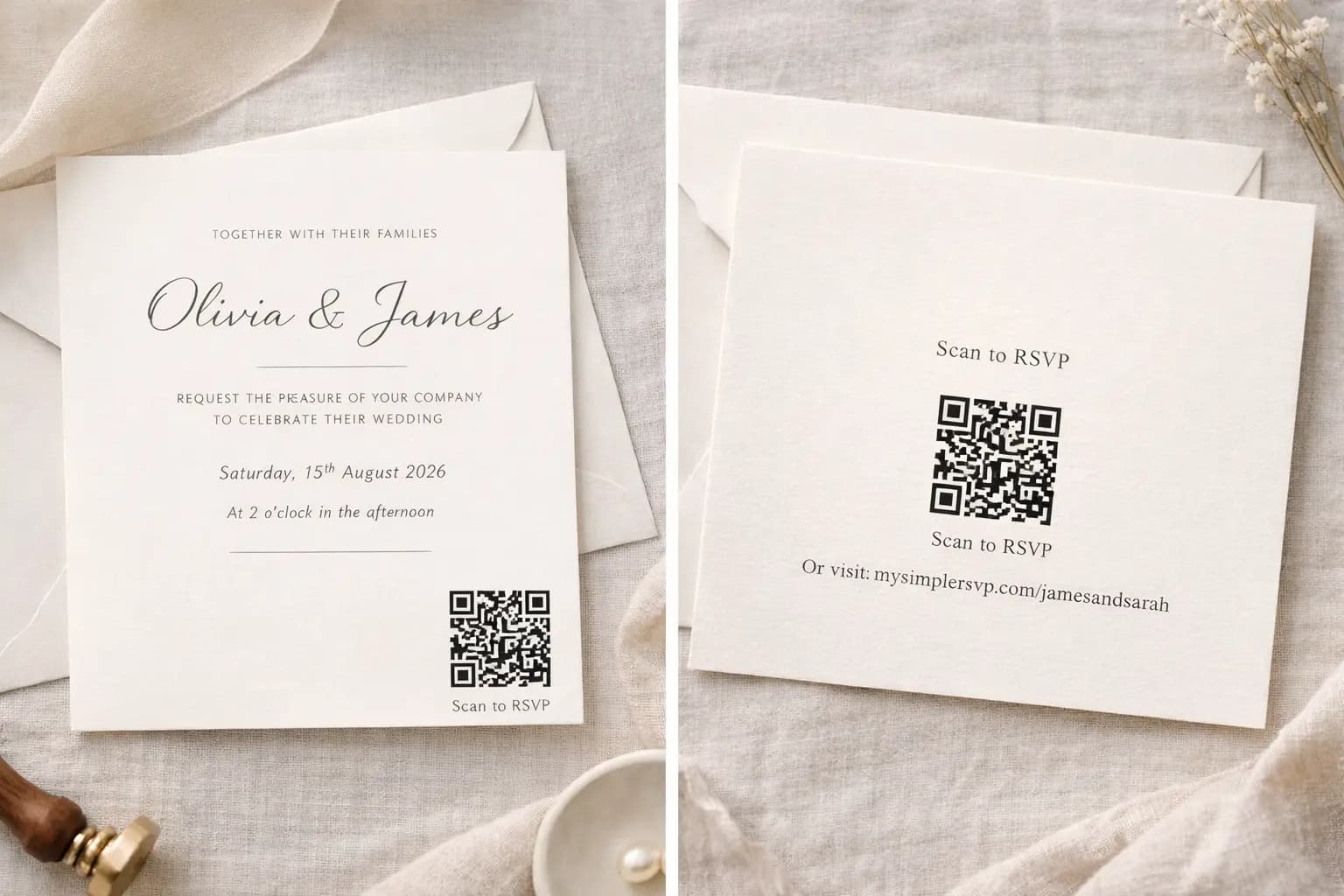
Placement matters. You want the QR code to be visible but not overpower your design.
Here are common options couples use:
1. Bottom corner of the main invitation
Clean and minimal - often bottom right or centred at the bottom.
2. On a separate RSVP details card
Ideal if you prefer a traditional invitation layout but want modern RSVP collection.
3. On the back of the invitation
Keeps the front design uninterrupted while still being easy to find.
4. On a wedding information card
Perfect if you're including accommodation details or gift information.
Wherever you place it, ensure it isn’t too close to edges or decorative elements that might interfere with scanning.
What wording to use next to your wedding RSVP QR code
Clear instructions improve response rates.
Simple wording works best:
- “Scan to RSVP”
- “Please scan the QR code to respond”
- “Kindly RSVP by scanning below”
- “Scan here to confirm your attendance”
- “RSVP by 12 May 2026”
You don’t need to over-explain. Most guests already know how QR codes work.
Including your RSVP deadline next to the code also adds gentle urgency.
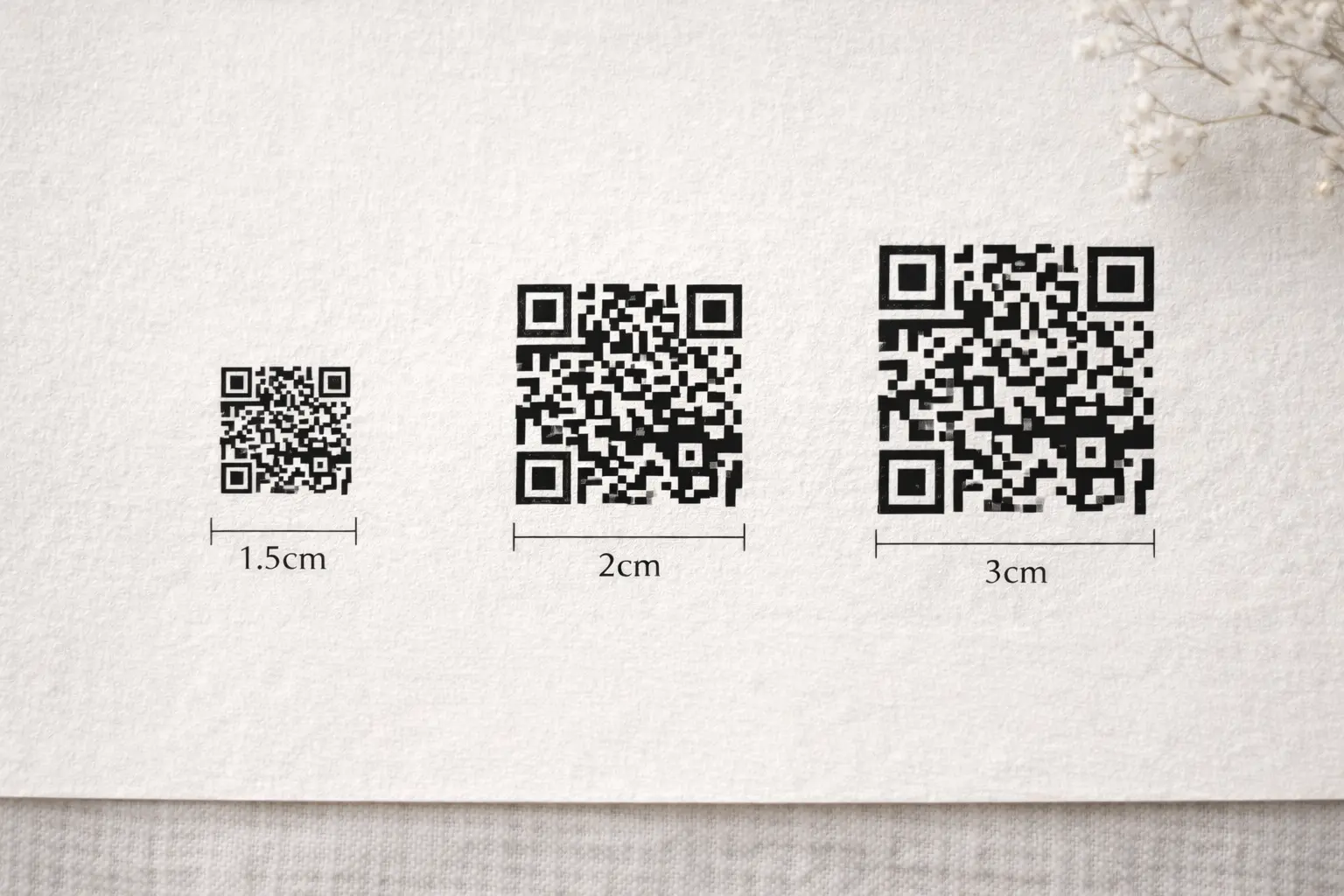
What size should a QR code be on wedding invitations?
Size is important for scannability.
As a general guide:
- Minimum size: 2.5cm x 2.5cm
- Ideal size: 3cm x 3cm
- High contrast: Black on white works best
Avoid:
- Printing over textured backgrounds
- Light grey on beige
- Decorative overlays or shadows
- Extremely small sizing to “keep it subtle”
A QR code must be clear and high contrast to scan reliably.
QR Code vs Traditional RSVP Cards
Traditional RSVP cards require:
- Printing extra inserts
- Adding reply envelopes
- Paying for postage
- Manually tracking responses
QR code wedding invitations eliminate reply envelopes entirely and allow you to track responses in real time.
For couples trying to simplify planning, it’s a practical upgrade.
Test your QR code before printing
Before sending your invitations to print:
- Print a sample at actual size
- Scan it using multiple phones
- Test in different lighting
- Confirm it opens the correct RSVP page
- Submit a test response
This simple step prevents expensive reprints.
Add a backup option for less tech-savvy guests
While most guests are comfortable scanning QR codes, it’s thoughtful to include a short URL underneath.
For example:
Or visit: mysimplersvp.com/james-and-sarah
This ensures everyone can access your RSVP page easily.
A simple way to create your QR code wedding invitation
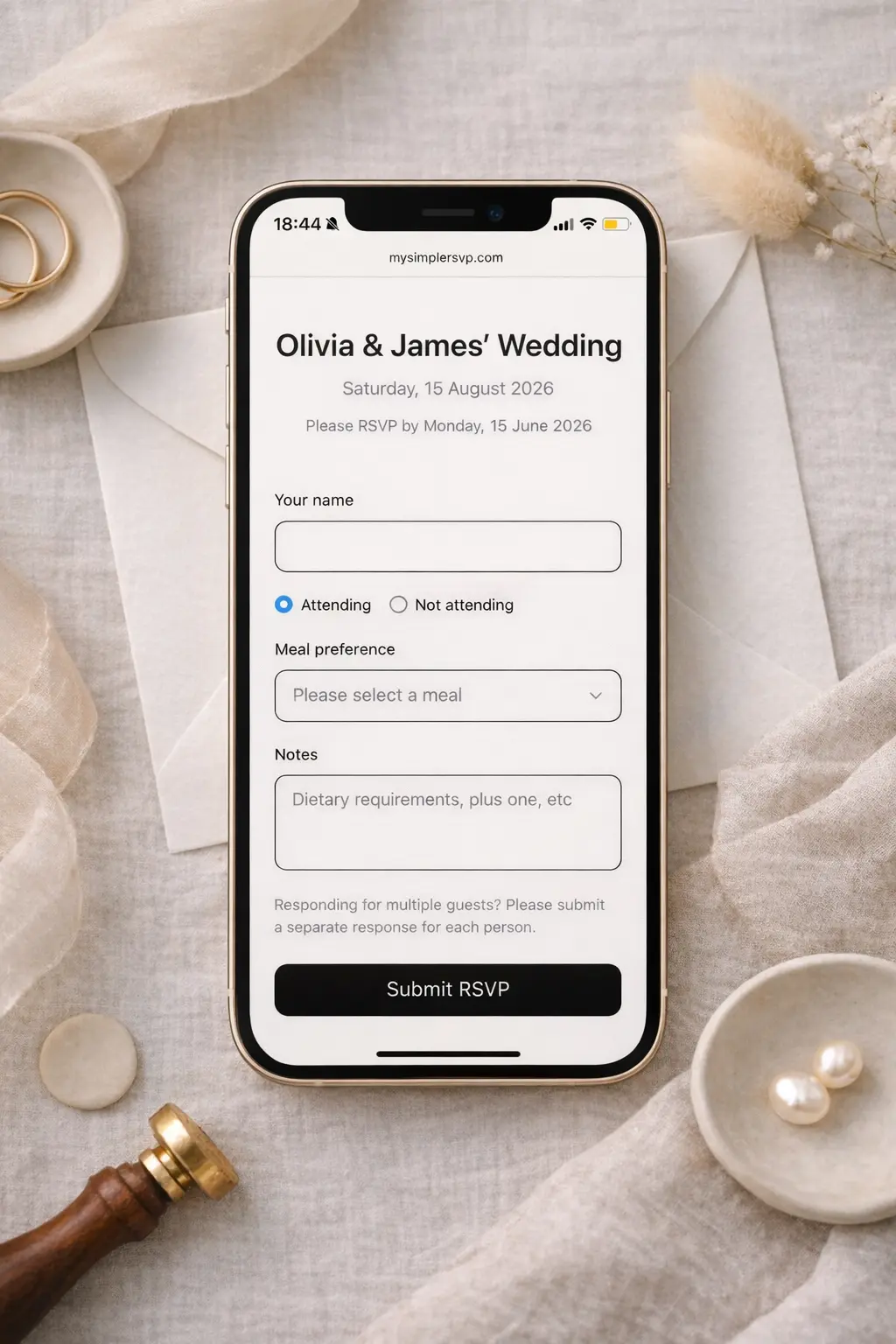
If you're using MySimpleRSVP, your QR code is automatically generated for you.
You can:
- Create a clean RSVP page in minutes
- Add custom meal options
- Automatically track meal numbers for your caterers
- Download a ready-made QR code
- Share a direct link
- Track guest responses instantly
- Export your guest list whenever you need it
It’s free for up to 10 guests, with a small one-off payment if you need unlimited responses.
If you're designing your invitations now, you can create your page here:
FAQ: QR Code Wedding Invitations
Are QR codes on wedding invitations tacky?
Not anymore. QR codes are widely used on modern wedding invitations, especially for RSVPs and guest information. When designed cleanly, they feel practical rather than intrusive.
Do QR codes work on printed wedding invitations?
Yes — as long as they are printed clearly, high contrast, and at least 2.5cm x 2.5cm in size. Always test a printed sample before finalising.
Can older guests use QR codes?
Most smartphones automatically scan QR codes through the camera app. Including a short URL underneath provides a helpful alternative for anyone unfamiliar with scanning.
Can I use a QR code for meal choices and dietary requirements?
Yes. If your RSVP page includes meal options or dietary fields, guests can select them digitally when they respond.
Final Thoughts
Adding a QR code to your wedding invitations isn’t complicated.
You simply need:
- A working RSVP page
- A properly sized QR code
- Clear wording
- One quick test before printing
QR code wedding invitations keep things simple for you — and effortless for your guests.
And when you’re planning a wedding, removing admin wherever possible is always worth it 🤍